Affiliate disclosure: SK Web Pages may earn a commission if you choose a provider through links on this page. Our reviews are written for buyer fit, pricing clarity, migration risk, and operational tradeoffs. Read more on our about page and editorial policy.
A startup marketing site usually fails in one of two ways. It either ships late because every page needs design and engineering time, or it ships quickly and then becomes hard to maintain once the team adds product pages, case studies, landing pages, and localization. This Framer review looks at the space between those two problems: can Framer help a small team ship a polished marketing site quickly without creating a messy operating model later?

The short version: Framer is a strong fit when the website is design-led, the CMS is moderate, and the team wants publishing, hosting, SEO controls, and collaboration in one product. It is a weaker fit when the site needs deep content modeling, large editorial workflows, complex ecommerce, or engineering-level control over the stack.
Framer review verdict for startup marketing sites
Framer is not just a template website builder. Its buyer fit is closer to a visual design-and-publish platform for teams that care about layout control, motion, and fast iteration. Framer’s own website builder page positions it around a visual canvas, CMS, SEO controls, collaboration, managed hosting, and one-click publishing. That matches the common startup use case: a designer or founder wants to move from landing page to live site without a long handoff cycle.
The main reason to consider Framer is speed with design quality. If your team already thinks in Figma-style layouts, Framer can feel more natural than a rigid block builder. If your marketing site is mostly homepage, product pages, pricing, resources, changelog, and a light blog, the product shape makes sense.
The main reason to be cautious is operational depth. Framer can handle CMS collections and marketing pages, but it is not the same as owning a codebase, running a headless CMS, or using a platform built around very large editorial teams. The decision should start with your content model, not with the glossiest launch page.
Pricing and plan limits checked on July 6, 2026
Framer’s public pricing page showed Free, Basic, Pro, and Enterprise tiers when checked on July 6, 2026. Basic was listed at $10 per month on yearly billing, while Pro was listed at $30 per month. The important part is not only the monthly price; it is the limit model.
Basic was listed with 2 CMS collections, 50GB bandwidth, built-in SEO, custom domain support, and localization as an add-on. Pro was listed with 10 CMS collections, 100GB bandwidth, redirects, staging environment, branching with previews, and add-ons such as advanced hosting and A/B testing. Framer also listed paid editor seats and content editor seats, so team cost can rise once marketers, designers, and client stakeholders all need editing access.
For a solo founder or small design-led startup, Basic may be enough for a tight site. For a serious startup marketing site, Pro is the more realistic baseline because redirects, staging, branching previews, and higher CMS limits matter once the site is tied to product launches and campaigns.
The pricing risk is scope creep. A site that begins as five pages can become a CMS, localization, analytics, landing-page, and content-editor workflow. Before choosing Framer, map your expected pages, CMS collections, locales, editors, and monthly traffic. If those numbers already push you toward add-ons or Enterprise, compare Framer against Webflow, WordPress, or a custom stack before committing.
Design workflow and template quality
Framer’s strongest product argument is its canvas. Teams that care about brand feel, interaction, and landing-page polish often want more control than a simple template builder allows. Framer’s website builder page describes a workflow with responsive layouts, reusable components, collaboration, and publishing in one place.
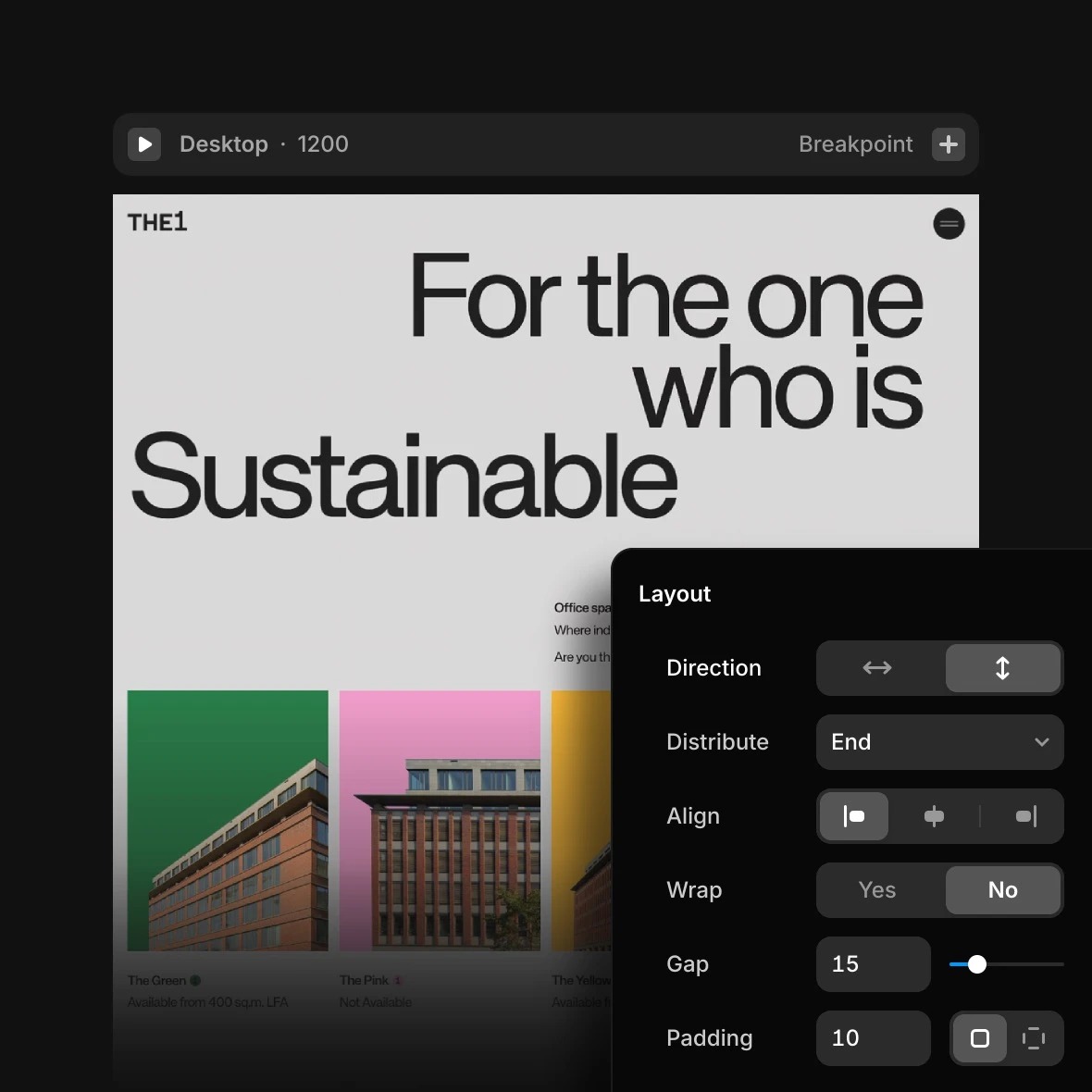
That workflow is useful when the person designing the page is also close to publishing it. A startup can test a new positioning page, campaign page, or investor-facing page without waiting for a frontend sprint. It also helps agencies or fractional marketing teams that need to hand over editable sites without turning every change into a developer ticket.
Template quality should still be judged carefully. A beautiful Framer template is not automatically a durable site system. Check whether the template has sensible breakpoints, reusable sections, CMS-ready pages, clear navigation states, and accessible text sizing. A weak template can make Framer feel fast for the first week and fragile after the first redesign.
For teams comparing options, our broader website builders shortlist explains how to evaluate builders by fit rather than chasing one universal winner. If you are also considering Webflow, keep our Webflow review open while reading this section because the tradeoff is mostly design speed versus deeper site-system control.
CMS, SEO, and content operations
Framer’s CMS page presents CMS collections, fields, imports, and AI-assisted content workflows as part of the product. For startup marketing teams, that can cover common needs such as blog posts, case studies, changelog entries, team pages, job posts, landing pages, and resource libraries.
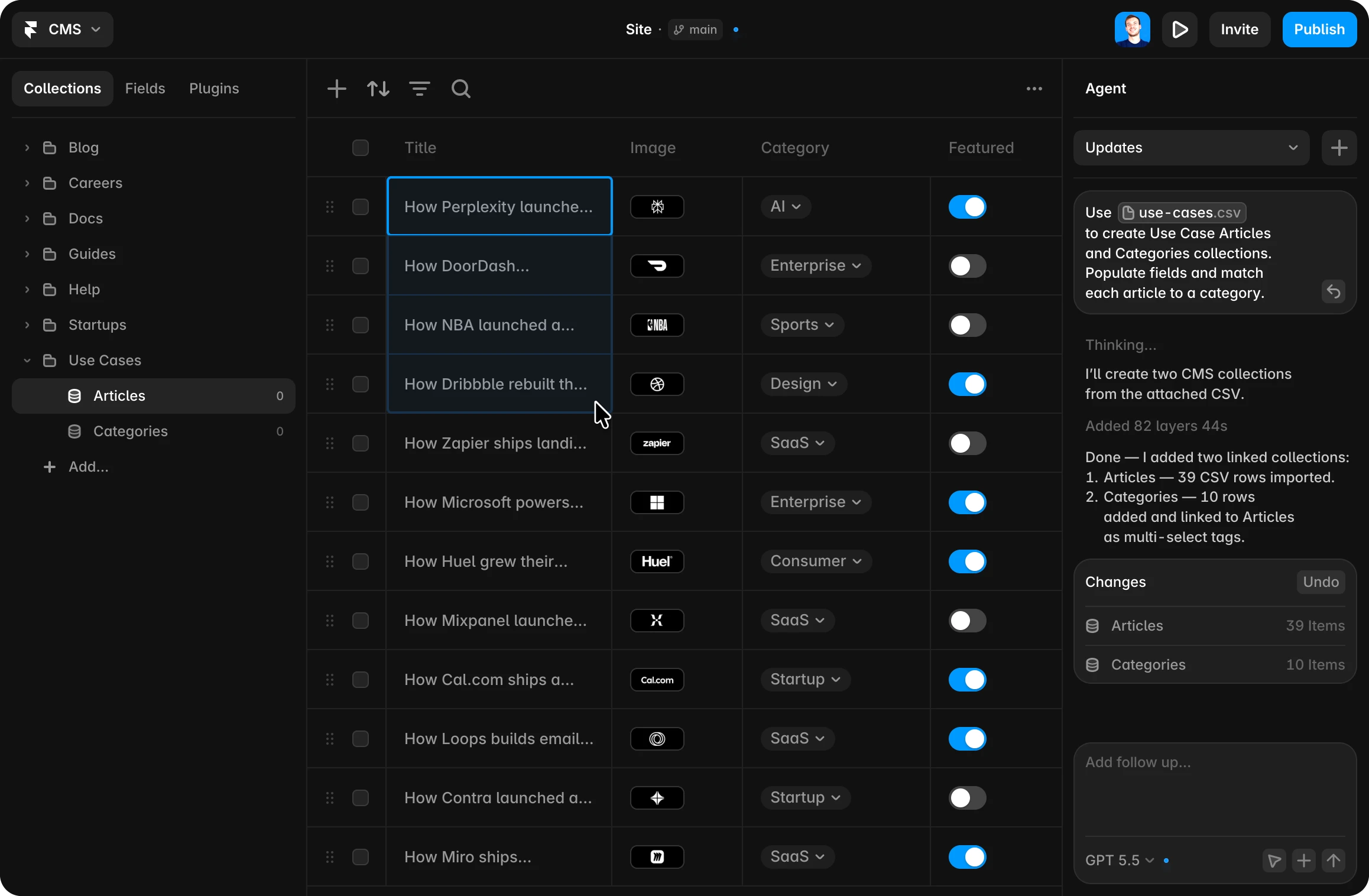
The fit check is whether your content can stay simple. A straightforward blog and a case-study collection are a good Framer use case. A site with nested taxonomies, heavy editorial permissions, complex localization rules, dozens of content types, or API-driven content reuse deserves more scrutiny.
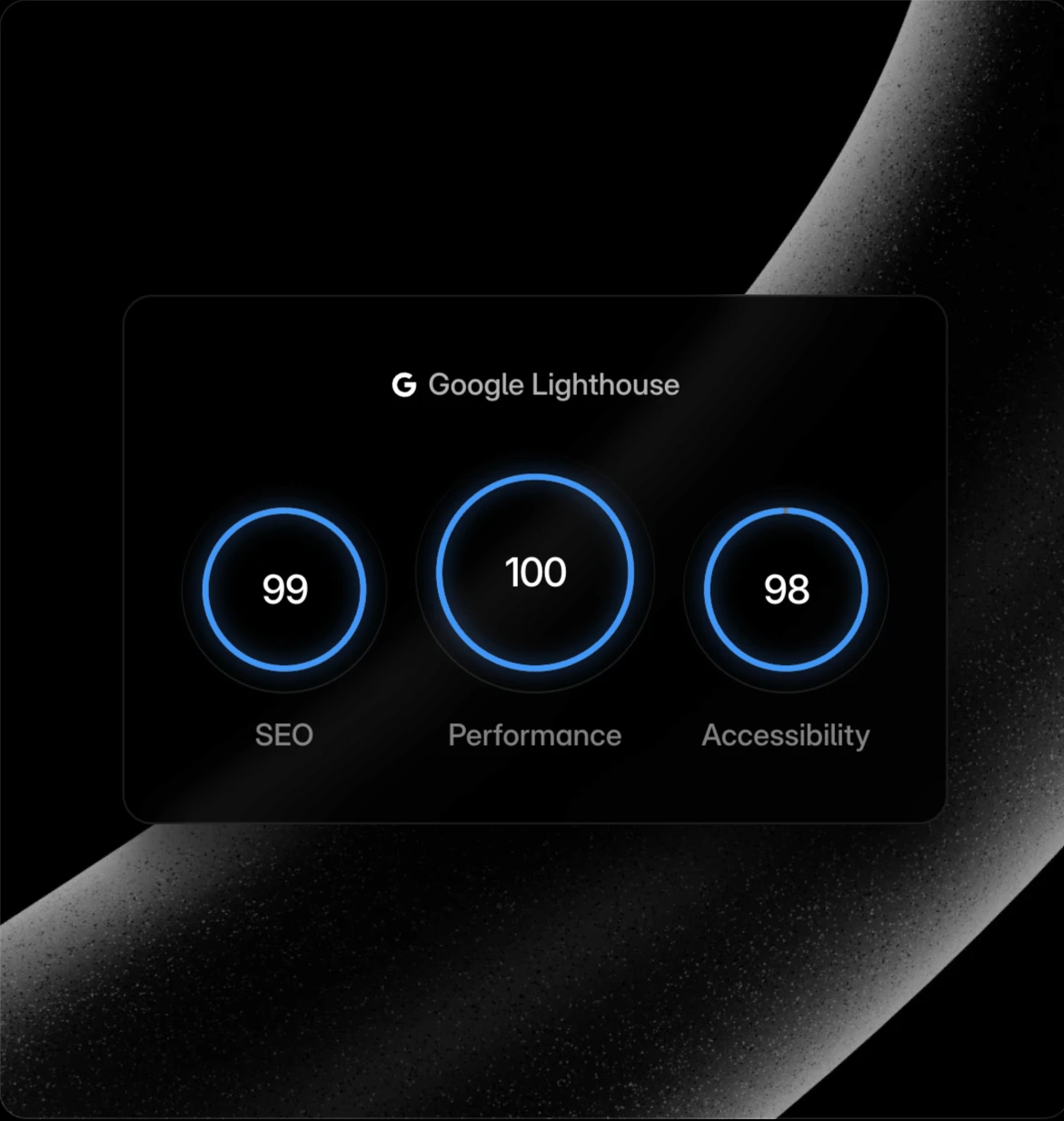
Framer’s SEO page describes built-in SEO controls, image optimization through CDN, and auto-generated sitemaps and robots.txt. Those basics matter because a marketing team should not need engineering help for every title, description, open graph image, or indexability decision. Framer’s SEO feature set is strongest when the team keeps the site architecture clean and avoids turning every campaign into an orphan page.
The editorial caution is that SEO tools do not create SEO strategy. Framer can expose controls; it cannot decide your topical map, internal linking, content refresh cadence, or search intent. If you publish a thin site, Framer will not solve that. For SK Web Pages, that is why this review sits beside the broader website builder buying guide and the Webflow review for marketing and CMS sites.
Hosting, domains, and launch controls
Framer includes managed hosting, which reduces launch friction for small teams. Its hosting page says SSL is included on every plan and automatically provisioned and renewed through certificate providers such as Let’s Encrypt and ZeroSSL. Its publish page also describes version history and rollback, which matters when a marketer needs to undo a bad publish quickly.
For domains, Framer’s custom domain help page says you can publish to a Framer subdomain, connect a third-party domain you own, or claim a free or discounted domain on a yearly plan through Hover. It also notes that DNS changes may take up to 48 hours to propagate and that Hover-managed domains renew at the standard rate.
That domain detail matters. If domain ownership and portability are priorities, buy and manage the domain at a registrar you control, then connect it to Framer through DNS. Framer can simplify the launch path, but your domain strategy should stay independent of your website builder when possible.
Framer’s public status page showed all services online when checked on July 6, 2026, and it exposes recent operational history by component. Treat that as transparency, not as a guarantee for your specific site. If uptime guarantees or custom support paths are contractual requirements, confirm them with Framer’s Enterprise process before choosing the platform.
Collaboration and support paths
Framer’s collaboration story is strong for design-led teams because designers, marketers, and stakeholders can work closer to the live site. TechRadar covered Framer’s On-Page Editing launch in 2025, describing a workflow where non-designers can update content directly without opening the full design canvas. That kind of feature can reduce the common bottleneck where designers build a page system but every copy edit still comes back to them.
The support path depends on your plan and account relationship. Public pricing lists Enterprise as custom with dedicated support, security, SSO, SCIM, and custom limits. Smaller teams should not assume Enterprise-level support unless they are actually on that path. For Basic or Pro, plan for self-serve documentation, community resources, and normal support channels.
G2’s Framer review page showed a 4.5/5 rating from 140 reviews when checked, with user sentiment praising speed, ease of use, and design-to-publish workflow. The same review corpus also includes concerns around pricing, learning curve, and limits for larger or more complex projects. That is consistent with our buyer-fit view: Framer can be very good for a focused marketing site, but the wrong choice for a sprawling content operation.
Migration constraints and lock-in checks
Do not choose Framer only because the first page looks good. Ask how the site exits. Can you export or recreate your content cleanly? Are your CMS fields simple enough to move? Are redirects available on the plan you expect to use? Is the domain controlled outside the builder? Can another designer understand the layout system six months later?
The biggest migration risk is not that Framer is unusually restrictive. The risk is that teams treat a visual site as disposable until it becomes business-critical. A startup site can quietly accumulate SEO pages, campaigns, docs-like content, integrations, and analytics events. By then, migration is harder because the site is no longer “just marketing.”
Before publishing a serious site, document your page types, CMS collections, naming conventions, redirect policy, tracking setup, and domain ownership. That is not bureaucracy; it is the difference between a fast launch and an expensive rebuild later.
Framer versus Webflow in one practical paragraph
Framer is easier to recommend when speed, visual freedom, and designer-led publishing are the main job. Webflow is easier to recommend when the team wants a more established visual development system, deeper site architecture habits, and a broader ecosystem around CMS-heavy marketing operations. That is not a universal ranking. It is a fit split. If the question is “can our designer ship a polished startup site quickly,” Framer deserves a serious look. If the question is “can our marketing org run a complex CMS and structured site system for years,” compare carefully against Webflow and more content-first stacks.
For a deeper Webflow angle, read our Webflow review. For the wider shortlist, start with best website builders for practical launches. Those two pages are the internal reading path we would use before making a final builder decision.
Who should choose Framer?
Choose Framer if your team is building a marketing site, landing-page system, portfolio, startup homepage, product launch site, or simple CMS-backed content hub. It is especially attractive when the person responsible for design also needs to publish without waiting on engineering.
Choose Framer if the site has a clear owner, a manageable number of CMS collections, and a visual brand that would suffer inside a rigid template builder. It also fits teams that want staging, previews, rollback, hosting, SEO controls, and collaboration in one product rather than stitching together separate tools.
Be more cautious if your site needs complex ecommerce, deep memberships, large multi-author editorial workflows, advanced permissions, heavily customized backend logic, or a content model that looks more like a publication than a marketing site. In those cases, Framer may still play a role for landing pages, but the main site stack deserves a broader comparison.
Buying checklist before you commit
Use this checklist before upgrading from a free Framer project to a paid production site:
- Count your required pages, CMS collections, and CMS items for the next 12 months.
- Confirm whether Basic limits are enough or whether Pro is the realistic starting plan.
- List every editor and content editor who needs access.
- Decide whether localization is a real near-term need or only a future idea.
- Keep your domain at a registrar you control if portability matters.
- Confirm redirect, staging, and rollback requirements before launch.
- Review at least one alternative builder, especially Webflow, before committing a business-critical site.
If that checklist still points to Framer, the product is a strong fit for a fast-moving startup marketing team. If the checklist creates too many exceptions, pick a platform with more operational depth.
FAQ
Is Framer good for startup marketing sites?
Yes, Framer can be a strong fit for startup marketing sites when the team needs a polished visual site, fast publishing, basic CMS workflows, and managed hosting. It is less ideal when the site needs complex editorial operations, deep custom backend logic, or large-scale content modeling.
Is Framer better than Webflow?
Neither is automatically better. Framer usually fits designer-led teams that want speed and visual control. Webflow often fits teams that want a more mature site-building system for structured marketing operations. Compare by CMS needs, redirects, staging, team roles, and long-term migration risk.
Can Framer handle SEO?
Framer provides SEO controls, image optimization/CDN, and auto-generated sitemaps and robots.txt according to its official SEO page. Those are useful foundations, but rankings still depend on content quality, internal linking, search intent, site architecture, and refresh discipline.
Does Framer include hosting?
Yes. Framer includes managed hosting, and its hosting documentation says SSL is included on every plan. For business-critical sites, still review the public status page and confirm any contractual uptime or support needs before relying on the platform.
Can I use my own domain with Framer?
Yes. Framer’s domain help page says you can connect a third-party domain you own by updating DNS records at your registrar. If portability matters, keep domain ownership separate from the website builder and document your DNS setup before launch.
What are the main Framer pricing risks?
The main pricing risks are plan limits, editor seats, content editor seats, localization, advanced hosting, A/B testing, and CMS scale. A small site can start cheaply, but a team site with multiple editors, locales, and larger CMS needs may cost more than the headline price suggests.
Title Candidates
- Framer Review for Startup Marketing Sites: 7 Fit Checks Before Your Team Ships in 2026
- Before You Move From Figma to Framer, Check These 7 Launch Risks
- Can Framer Replace a Web Developer for Your Startup Site?
- Framer Pricing, CMS, SEO, and Hosting: What Startup Teams Should Check
- Framer vs a Traditional Website Stack: When the Shortcut Holds Up